We're thrilled to announce the biggest update yet to Baba Ijebu Lotto Results App! Version 1.0.5 brings powerful new features that solve the most common pain points our users face.
After months of listening to your feedback and analyzing how you use the app, we've built features that make your experience faster, easier, and more personalized. Let's dive into what's new!
Watch the full feature walkthrough (2 min demo)
🎯 What's New in This Update?
1. Game Schedule with Live Countdowns ⏰
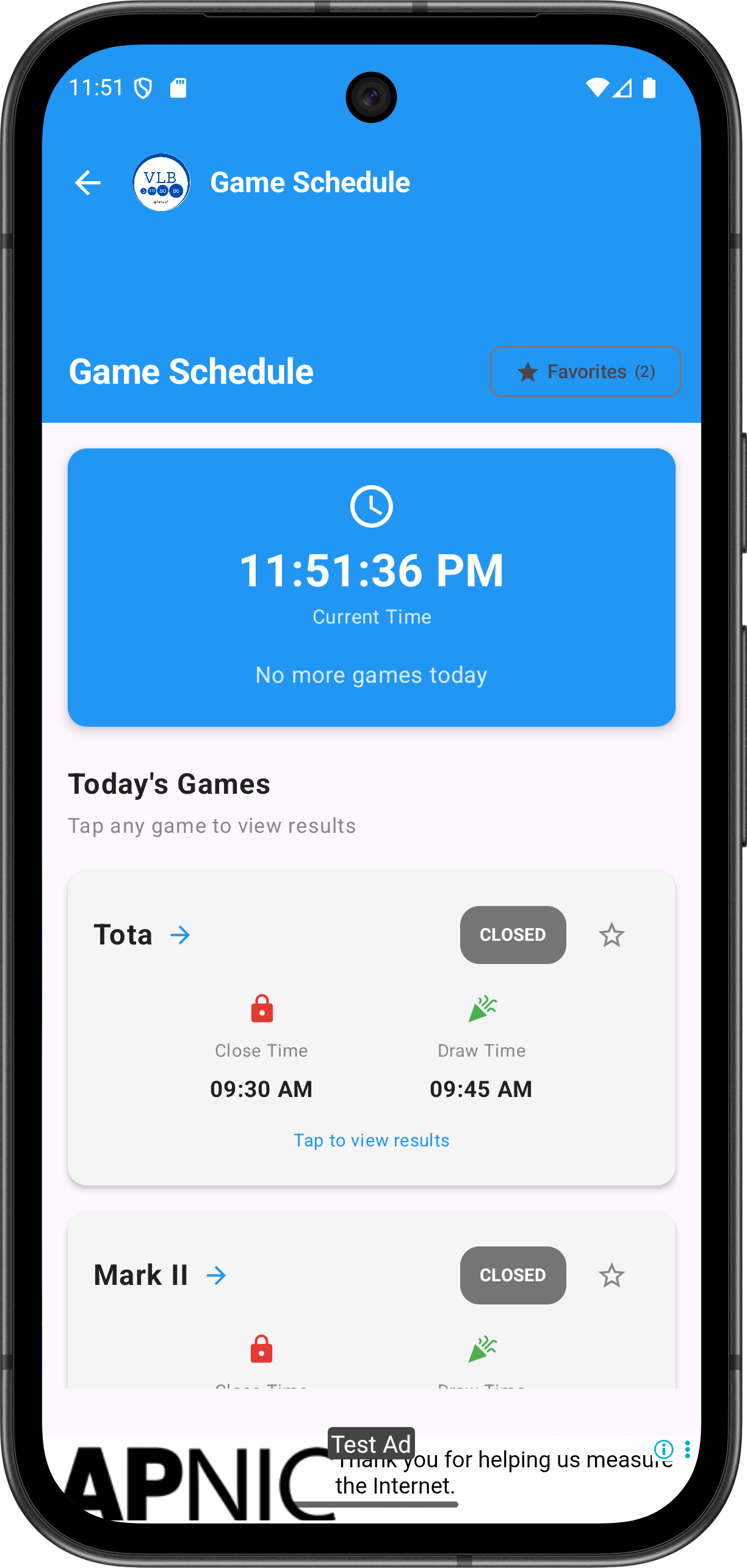
Real-time countdown timers for every game
The Problem We Solved
Many users told us they often missed game closing times because they had to manually track when each game closes. Checking the time, remembering schedules, and calculating "how much time is left" was frustrating.
The Solution
We've introduced a comprehensive Game Schedule screen that shows all 25 Baba Ijebu games with real-time countdown timers. Here's what makes it special:
- Live Countdown Timers: See exactly how much time is left before each game closes. Updates every second for accurate timing in easy-to-read format like "2h 15m" or "5m 30s"
- Smart Status Indicators: Color-coded badges show game status at a glance
- 🟢 OPEN - Game is accepting entries
- 🟠 CLOSING SOON - Less than 30 minutes remaining
- 🔵 DRAWING - Results being generated
- ⚫ CLOSED - Draw completed
- Weekly View: Browse the complete schedule for the entire week. Each day shows all 6 games with their closing and drawing times
- Next Game Spotlight: The schedule prominently displays the next upcoming game so you never miss an opportunity
2. Favourites Feature ⭐
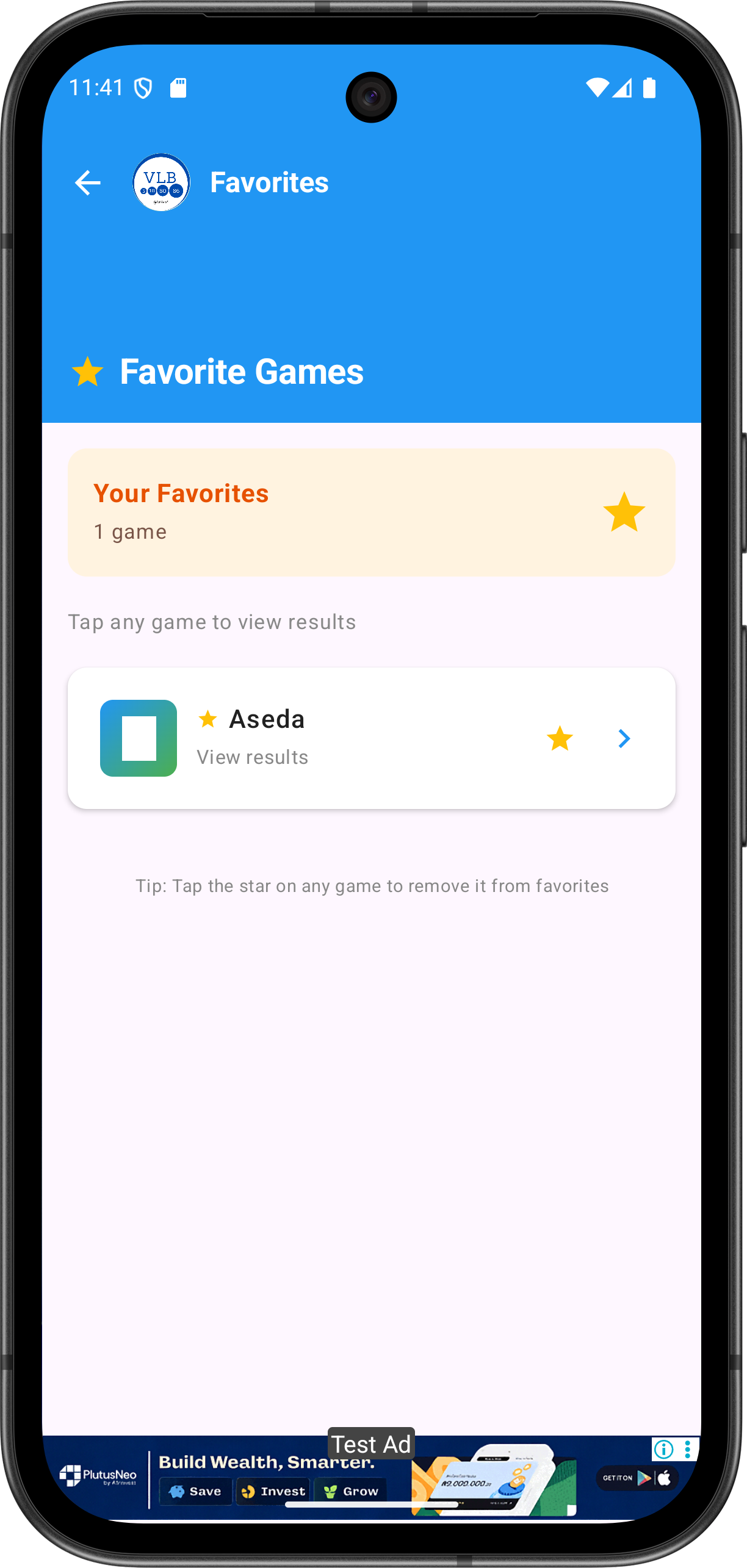
Mark and filter your favourite games with one tap
The Problem We Solved
With 25 different games available, scrolling through the entire list to find your regular games was time-consuming. Users wanted a way to quickly access the games they play most often.
The Solution
Introducing the Favourites system – your personalized shortcut to the games you love:
- Mark Your Go-To Games: Simply tap the star icon on any game to add it to your favourites. The star lights up in gold, and that's it!
- Quick Filter: Use the Favorites filter button to instantly see only your marked games. No more scrolling through all 25 games every time
- Works Everywhere: Filter the main game list, schedule view, and access a dedicated Favorites page from the menu
- Persistent Storage: Your favourites are saved permanently. Close the app, restart your phone – your favorites remain exactly as you set them
3. One-Tap Quick Access 🚀
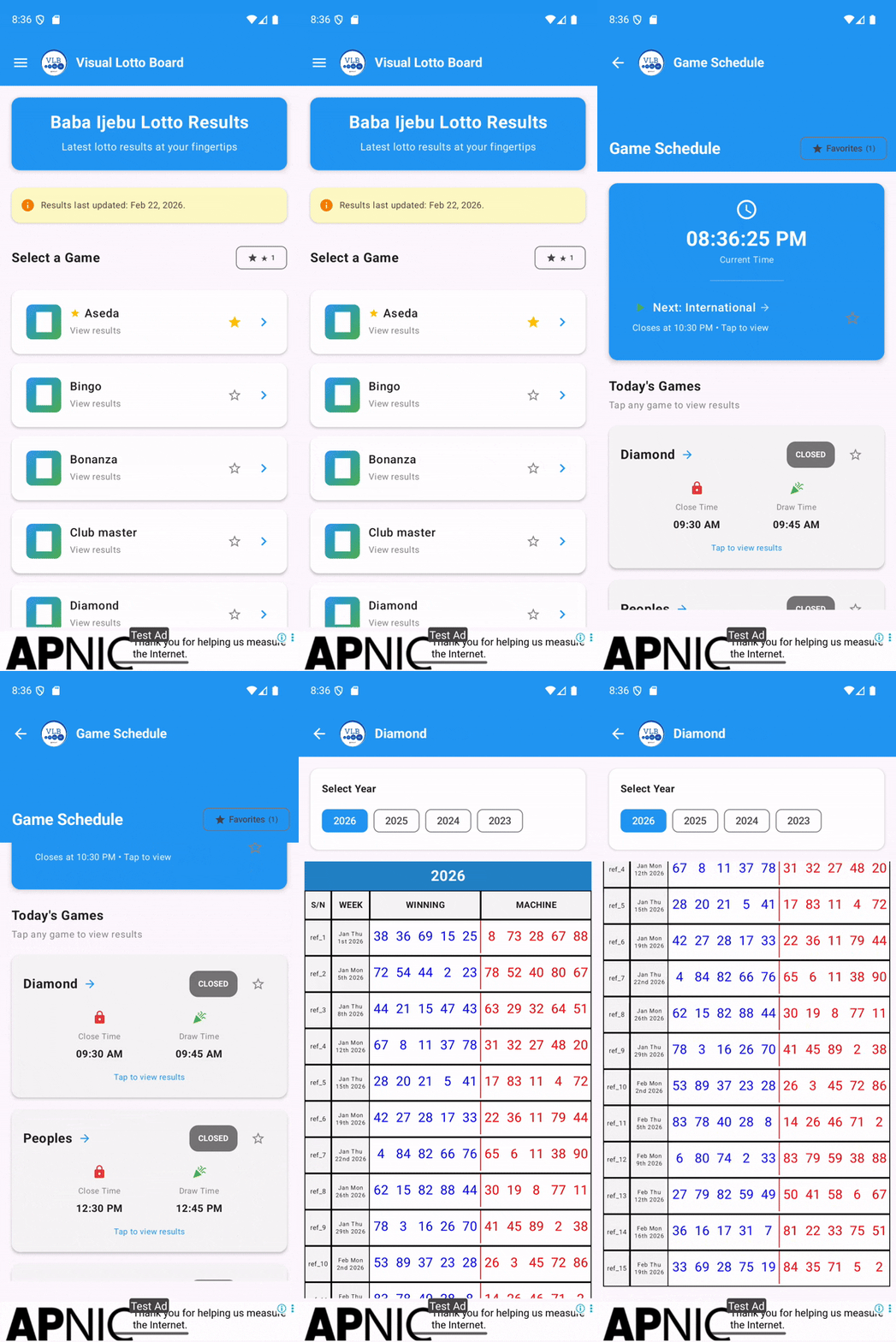
Navigate from schedule to results in one tap
Now you can tap any game directly from the schedule to jump straight to its results page. No extra navigation, no going back to home, no searching. Direct access in one tap.
- Open the schedule
- See a game you want to check
- Tap it
- Instantly view the results
It's that simple!
4. Enhanced Year Selection 📊
We've improved the year selection system to smoothly handle results from 2023, 2024, 2025, and 2026. Switch between years with a single tap and view complete historical data for any game.
🎨 Behind the Scenes: The Technical Upgrade
While you'll notice the new features first, there's a lot happening behind the scenes:
- New Data Architecture: Cleaner, more efficient structure means faster loading and better organization
- Improved Date Handling: Dates display in user-friendly format ("Jan Thu 1st 2026") while maintaining technical accuracy
- Better Performance: More responsive with optimized state management using Kotlin Flow
- Material Design 3: Updated to Google's latest design standards for a more polished interface
💡 How to Make the Most of the New Features
Strategy 1: The Morning Routine
- Open the Schedule screen first thing in the morning
- Review today's games and their closing times
- Mark games you plan to play as favorites
- Set reminders for games closing soon
Strategy 2: The Favourites Setup
- Go through the complete game list once
- Star all games you regularly play (3-5 recommended)
- Use the Favorites filter permanently
- Your app experience is now personalized!
Strategy 3: The Quick Checker
- Use the schedule for planning
- Tap games directly to check results
- No need to navigate back to home
- Fastest workflow for active players
📱 How to Update
Automatic Update
If you have auto-updates enabled in Google Play Store, you'll receive the update automatically within 24-48 hours.
Manual Update
- Open Google Play Store
- Search for "Visual Lotto Board"
- Tap "Update"
- Wait for installation to complete
- Open the app and explore!
🔮 What's Coming Next?
We're not stopping here! Based on your feedback, we're already working on:
- 🔔 Push Notifications: Get alerts before your favourite games close
- 📬 Result Notifications: Instant notification when draw results are available
- 📈 Advanced Statistics: Detailed analytics and trends
- 🌙 Dark Mode: Eye-friendly theme for night usage
- 🏠 Home Screen Widgets: Quick glance at next games and favorites
Ready to Experience the New Visual Lotto Board?
Update now and never miss a draw again!
🎉 Thank You!
To every user who has downloaded, used, and provided feedback on Visual Lotto Board – thank you. This update is for you.
We're committed to making Visual Lotto Board the best Baba Ijebu results app available. Your support drives us to keep improving and innovating.
Update now and experience the difference!