Successful lotto forecasting is often about pattern recognition rather than simple guesswork. We are excited to announce a major upgrade to the Lotto Forecast App designed specifically for our strategic players: Counting Weeks.
This feature automates one of the most tedious and critical manual forecasting techniques—tracking the historical cycles of numbers—to give you a data-driven edge in your next draw.
Watch: Counting Weeks in Action
See a full walkthrough of how the new feature works and how to use it in your next forecasting session.
What is 'Counting Weeks'?
Counting Weeks is an algorithmic analysis of numerical intervals. It identifies numbers that are expected to appear in upcoming draws based on the specific, recent steps and cycles they have established.
If a number consistently appears at regular intervals—for instance, every 3 or 5 draws—our engine flags it as a high-potential number "due" based on its historical performance.
How to Use the Counting Weeks UI
We’ve designed the Counting Weeks interface to be as intuitive as it is powerful. It displays your data through a seamless calendar-based approach.
1. The Calendar Navigator
Upon launch, the UI defaults to the current day. It automatically detects the day of the week (e.g., Wednesday) and displays all Baba Ijebu games scheduled to play that day.
To view the Counting Weeks data for previous or upcoming days, simply use the 7 dedicated day buttons (Sunday to Saturday) to navigate the week.
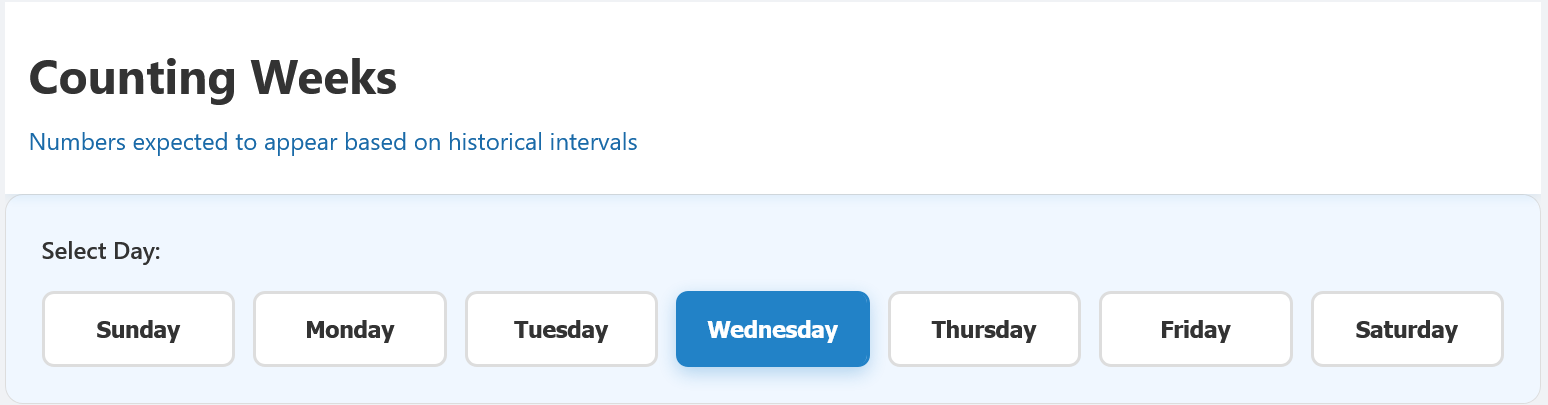
Visual representation of to navite different days Counting Weeks games
2. Game Data & The Summary View
Each game displayed has its own dedicated Counting Weeks data card. This summary gives you a quick snapshot of the strategy at a glance:
- Total numbers currently identified in a cycle.
- The number(s) and their specific intervals (weeks) they are tracking (e.g., "3w," "5w").
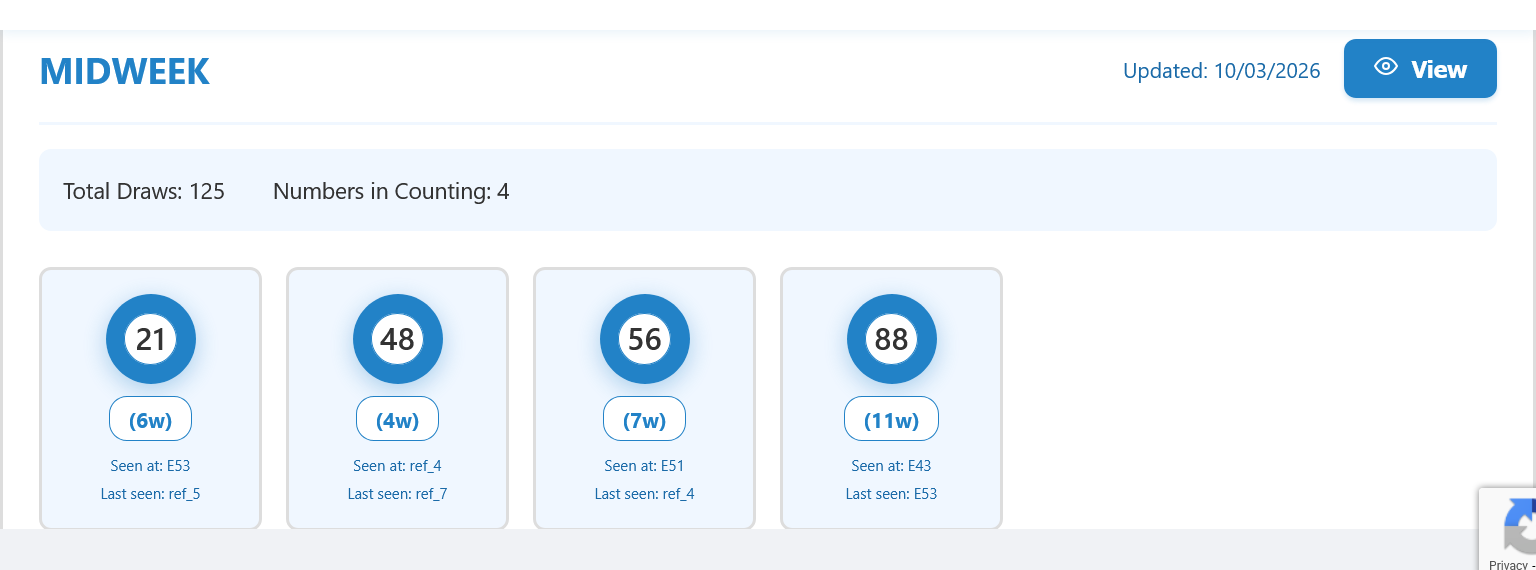
Game data interface with it dedicated Counting Weeks
3. Deep Dive: Table View and Highlights
For each game, a "View" button unlocks the full analytical breakdown. This action renders a comprehensive game table that highlights every number identified within a "Counting Weeks" cycle for that specific game.
This view allows you to verify the algorithm’s findings and cross-reference them with your own forecasting methods.
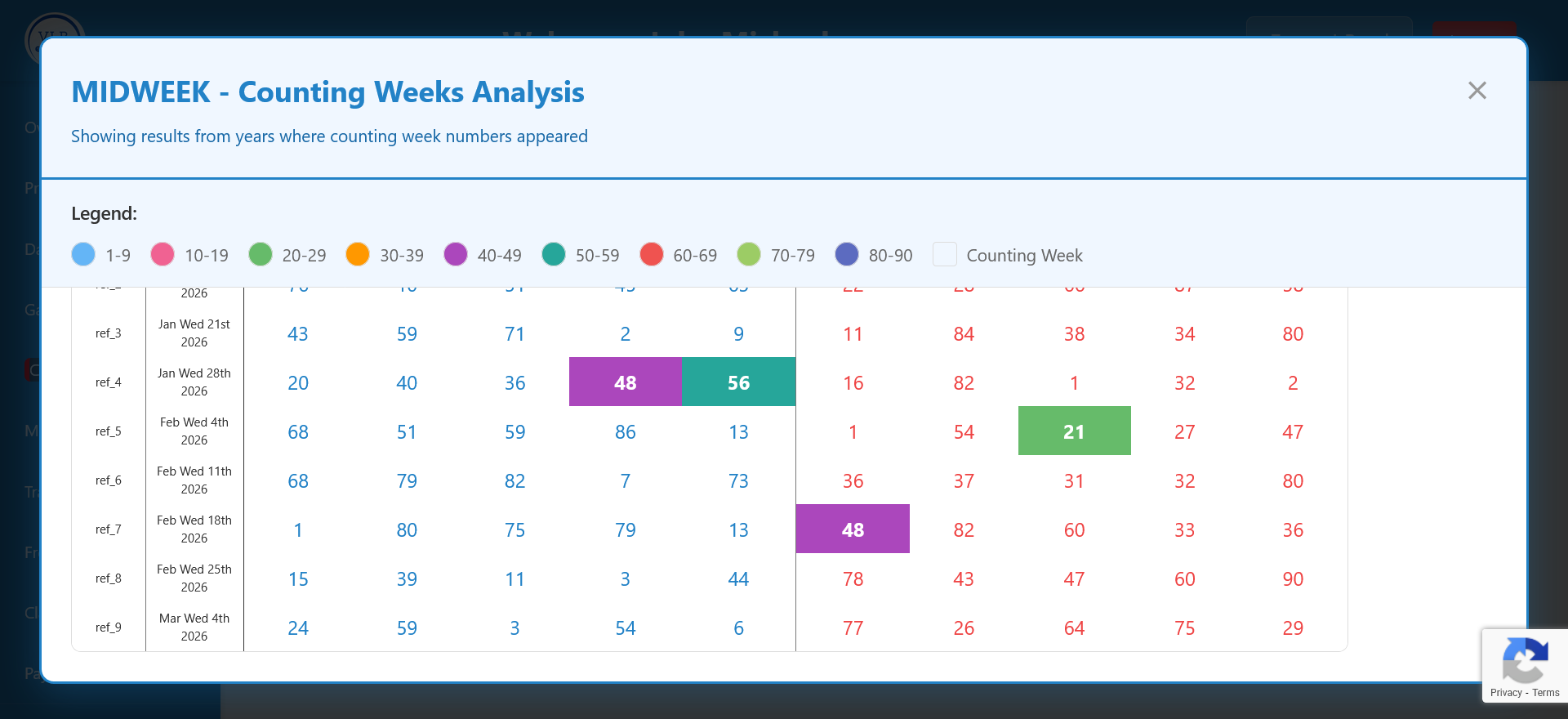
The Game result view that highlights numbers in counting weeks
Unlock Your Strategic Edge
The Counting Weeks feature is exclusive to our Pro Subscribers. Take the manual labour out of your forecasting and start using our automated interval tracking today.
Access Counting WeeksRequires active Pro Subscription.